There are things a couple remembers for years, and there are never many of them. The first trip together. The city where everything almost fell apart, and then didn't. The house you stayed in for a week and still talk about the owner.
None of it lived anywhere in the app. Photos sat in Memories with no place attached, and places didn't exist at all.
Now there's a map.
Our Places
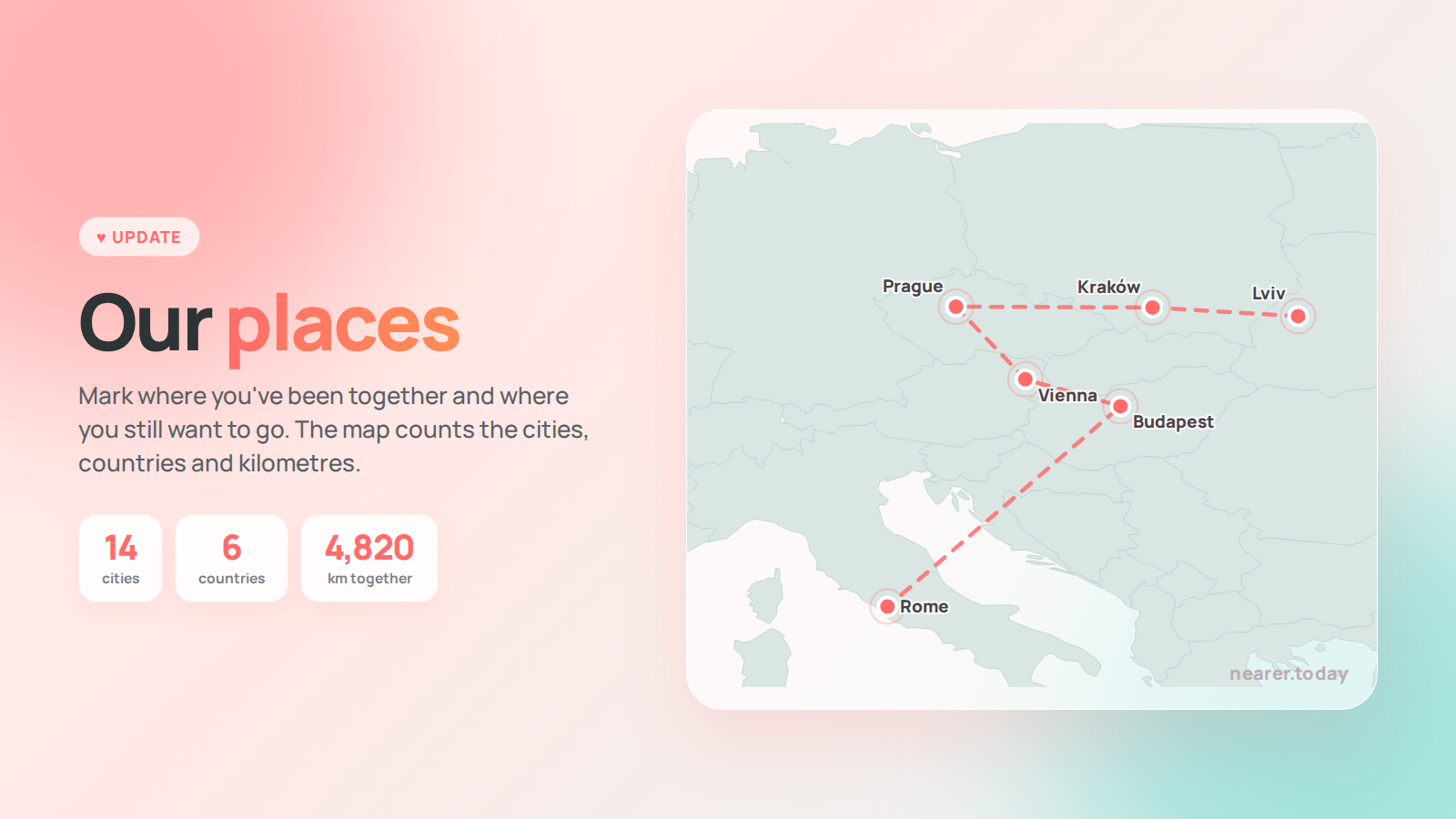
"Ours" has a new section — "Our Places". You mark a city you've been to together, set the dates, and it appears on your map. Separately you can mark the ones you want to see: the map holds both the past and the plans.
It counts your cities, the countries you reached and the kilometres between them, in the order you visited. When there are many points, close ones gather into a single marker so the map doesn't turn to mush; zoom in and they spread out again.
And the important part: photos find their own place. If a photo was taken on the days of a trip, it attaches itself to it with no action from you. Nothing to label, nothing to drag — you just add photos the way you always have.
"Our Places" is free for everyone. It isn't a Pro feature, and we don't plan to make it one.
"Ours" — a new tab
The bottom menu has been rebuilt, and everyone will notice.
"Together" is now "Today" — everything that lives for a single day: the question, your mood, "Guess", your streak. And next to it is "Ours".
At the top, five entrances: memories, places, wishes, letters, dates. Below them, a feed of what happened between you: where you travelled, which wishes came true, which letters you opened, which dates arrived, how long you've been together.
Everyday things deliberately stay out of that feed. The daily question happens daily, and over a year 365 cards would crowd out everything alive. Mood and signals are the pulse of the day; they belong on Home. "Ours" only holds what you'll remember.
Everything that used to sit in "More" and felt like a storage room is still there: Pro, question categories, the answer and signal archives, settings. Nothing is gone — it just moved somewhere it won't distract you.
The first time you open the update, the app will show you what's where now. Once.
Wishes: categories and photos
Your shared wish list can be sorted onto shelves — "Travel", "Home", "Someday", whatever suits you. A category is optional: a wish without one is a perfectly normal wish, not an unfinished one. Either of you can move a wish into a category — that's tidying a shared list, not editing someone else's words.
And a wish can now carry a photo. One. Because "this bag, right here" works better than three paragraphs, and for an album there's Memories.
Memories are a grid now
It used to be a feed of large cards, one per screen. By the twentieth photo that became endless scrolling in which nothing could be found.
Now the first screen is a grid of thumbnails grouped by month. Photos from a trip are labelled with its name, and you can filter them: show one place, show only photos with no place, or show everything. The caption, the date and your partner's reaction didn't go anywhere — they're in the card a tap away.
And the thing people asked for longest: you can upload several photos at once and add a caption to each, instead of walking the whole path over and over.
Small things that matter too
Deleting now always asks. In wishes, memories, dates and custom signals a single tap used to delete right away — in a shared list, where your partner sees the change too. The worst of them was the signals: a tiny × on a chip that's easy to catch with a thumb.
A date can simply be read — open it and see when it is, how many days ahead it will remind you and how many years it is this time. Until now a tap went straight to the editor.
Counters are properly singular and plural now. A small thing you see every time.
What we fixed
The big one: the reason sections were sometimes empty.
After launching the app it could happen that wishes, categories or memories didn't show up until you did something. The cause turned out to be more than one: some sections weren't loaded at startup at all, and some were, but a failed request vanished without a trace — no retry, nothing in the logs. Now every section fetches itself, every failure leaves a trace, and we can see exactly what didn't work.
Honestly: we haven't yet established why those requests fail in the first place. But the symptom won't ruin your evening any more, and we finally have something to work with.
Also, announcements and the review prompt no longer pop up on top of your first walkthrough of the app — they wait their turn.
What's next
Soon: more conditions for letters in the Letterbox, and deeper couple stats.
If something doesn't work the way you expected, write to us through support in the app. We read everything.
Download: App Store or Google Play.
← All entries